

Daniel Brooks
Crypto expert turning complex theory into clear guides.
How to Buy USDT with Alipay
Buying USDT and other cryptocurrencies on P2P exchanges requires third-party services’ involvement. At the same time, there may be complications with global ones in terms of translation and regional jurisdictions. If you prefer fast payments and local services, Alipay is an excellent choice for you. In this article, we explain step-by-step how you can buy USDT using Alipay and how to transfer coins to another wallet.
Does Alipay Support USDT?
Alipay is a service for transferring fiat money that is popular among Chinese citizens and in some Asian countries. It is often described as a mobile wallet for convenience.
At the moment, Alipay does not support any direct cryptocurrency transactions, as it doesn’t offer them in its arsenal. However, it can be used as a third party to buy USDT on P2P platforms. In this case, Alipay acts as the payment method.
How to Buy USDT with Alipay?
So, how do you purchase USDT using Alipay? First, you need to choose a P2P platform that offers Alipay as a payment method. And, of course, you need to have an Alipay account.
Step 1: Create an Account
First, you need to register on the P2P platform. On Cryptomus, you can do this in a few minutes: enter your name, email address, and create a strong password. In the future, you’ll be able to log in via Telegram, Google, or Facebook.
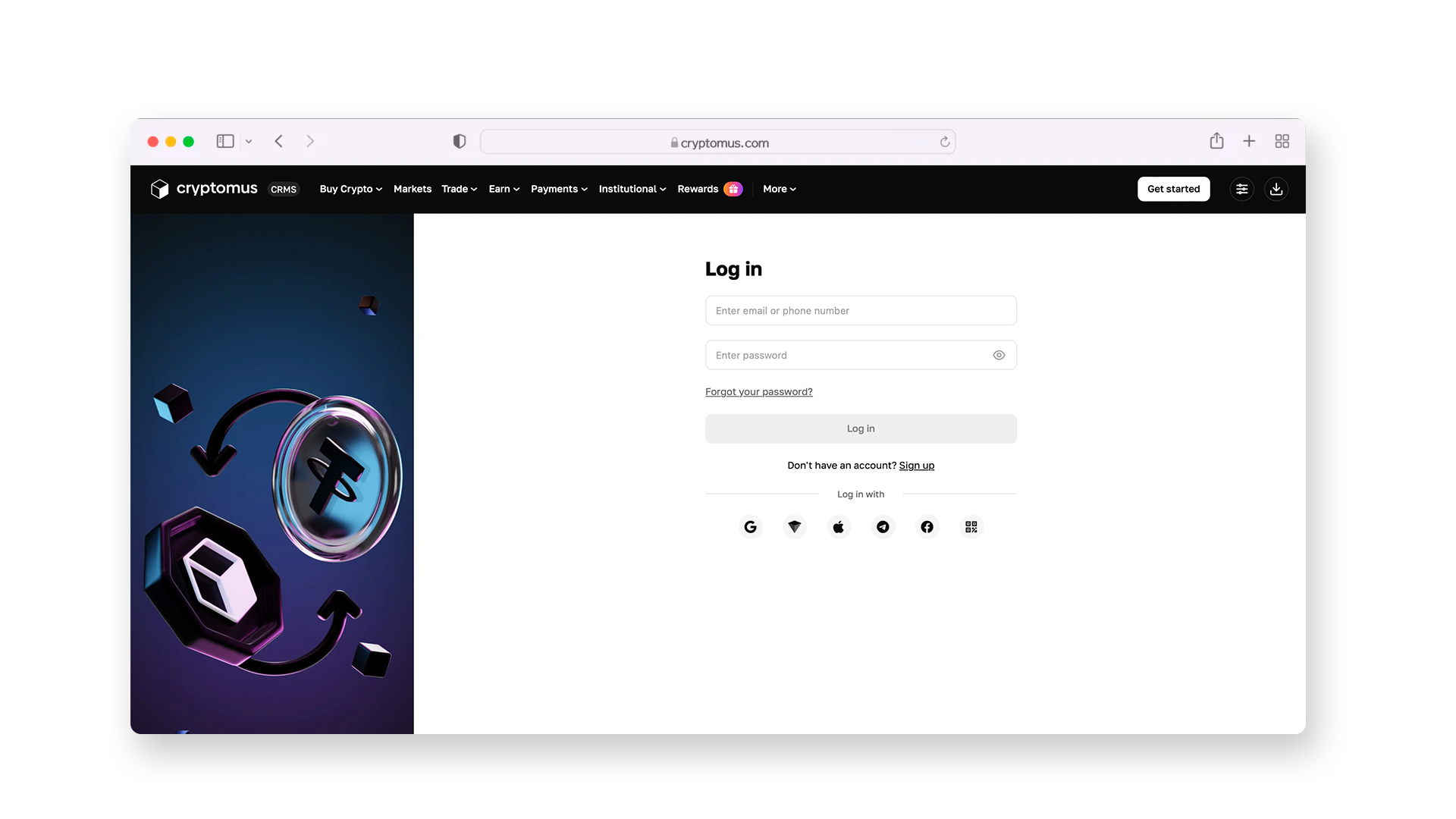
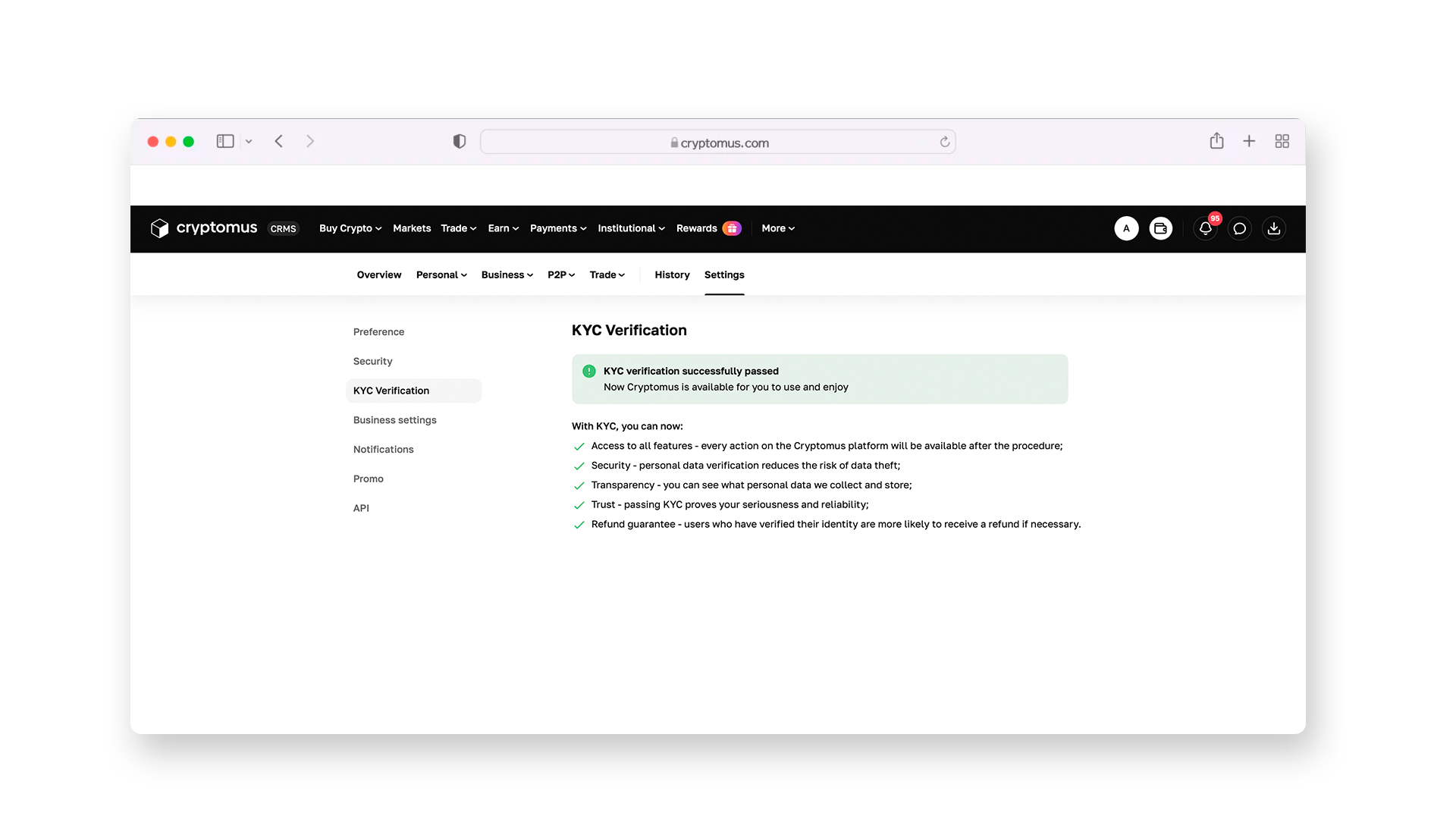
After that, you’ll have to complete a short KYC procedure. Once you have done it, you’ll get access to all Cryptomus products. Follow the instructions in the pictures below to make sure you do everything correctly.
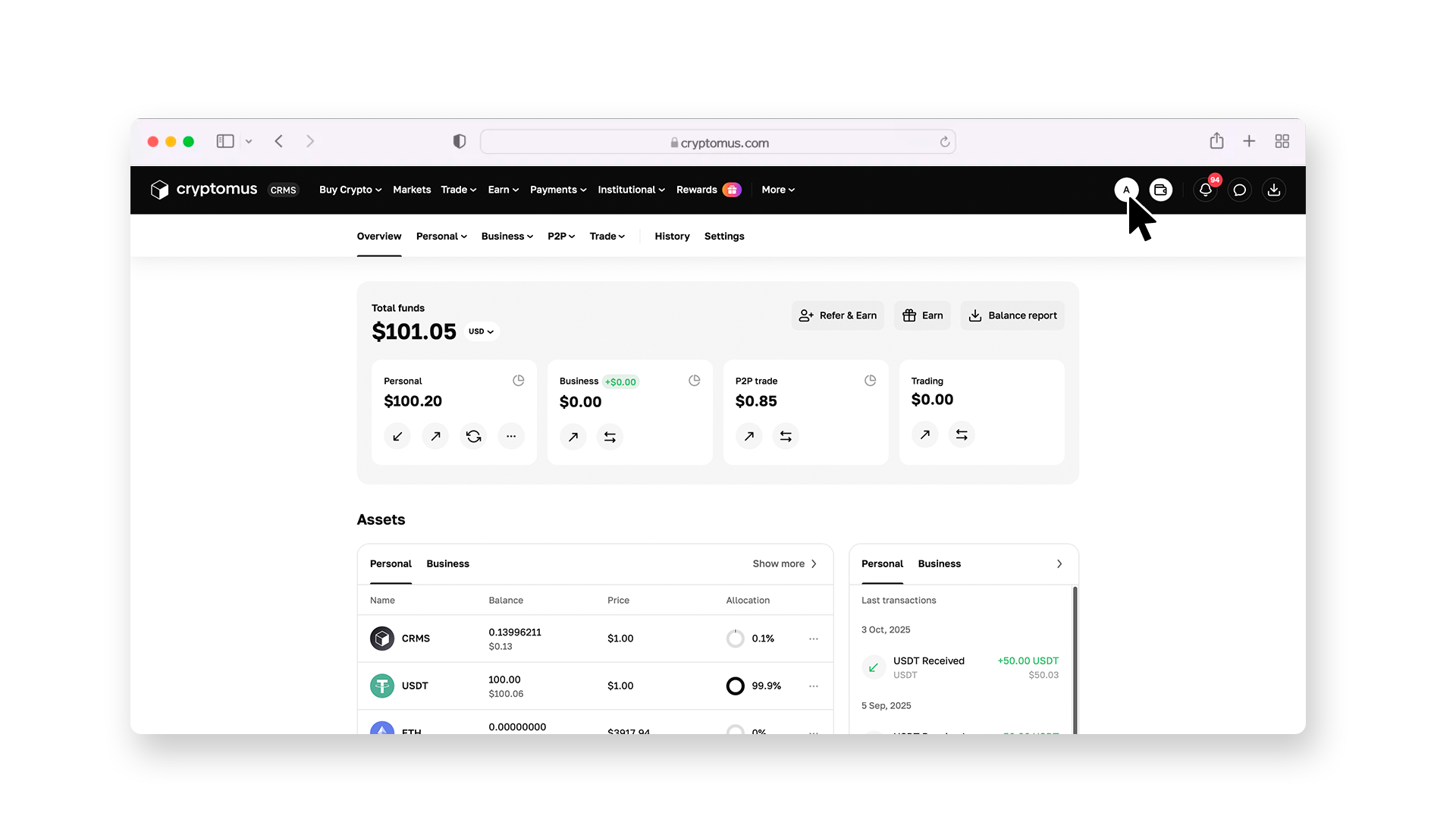
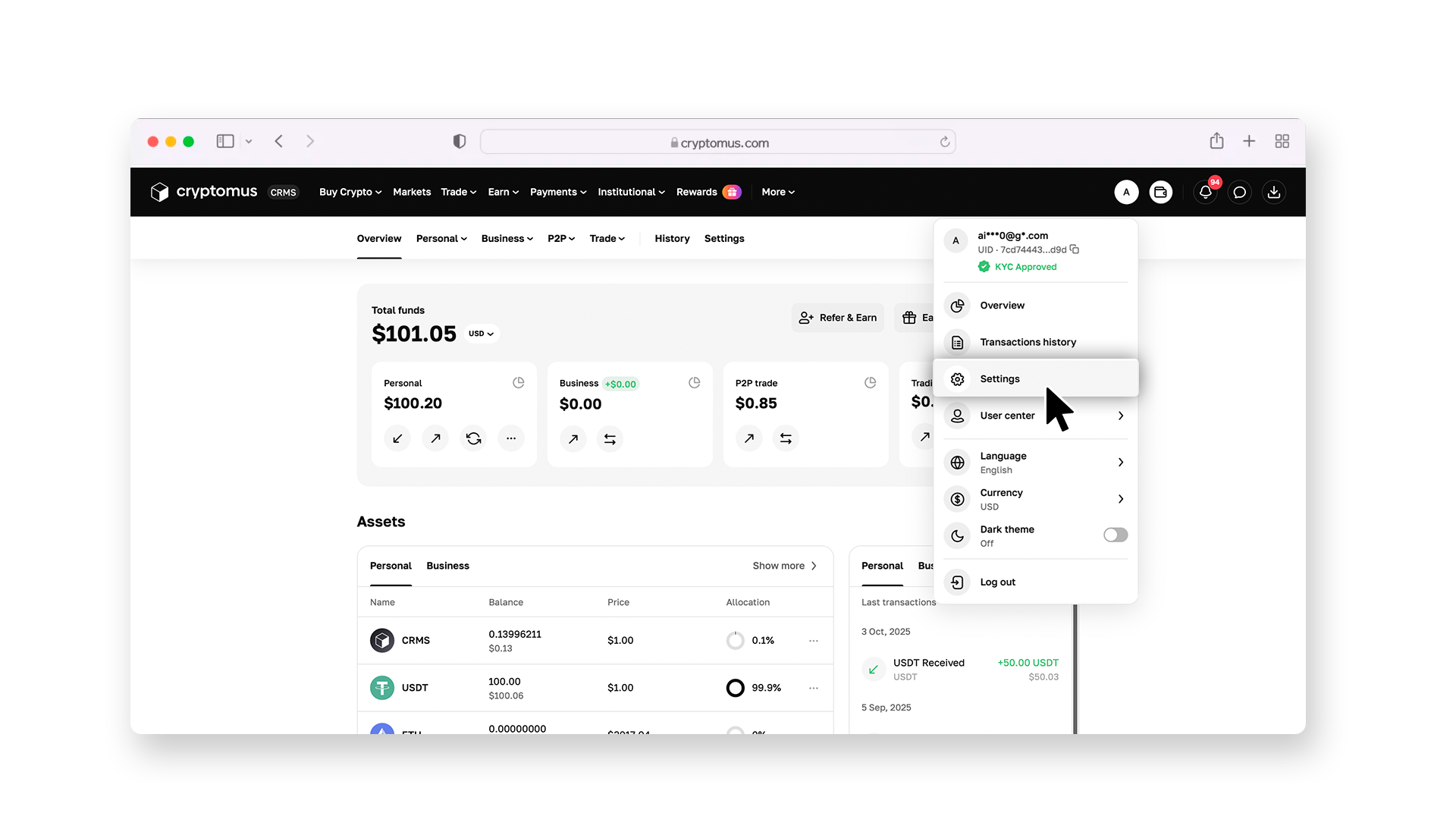
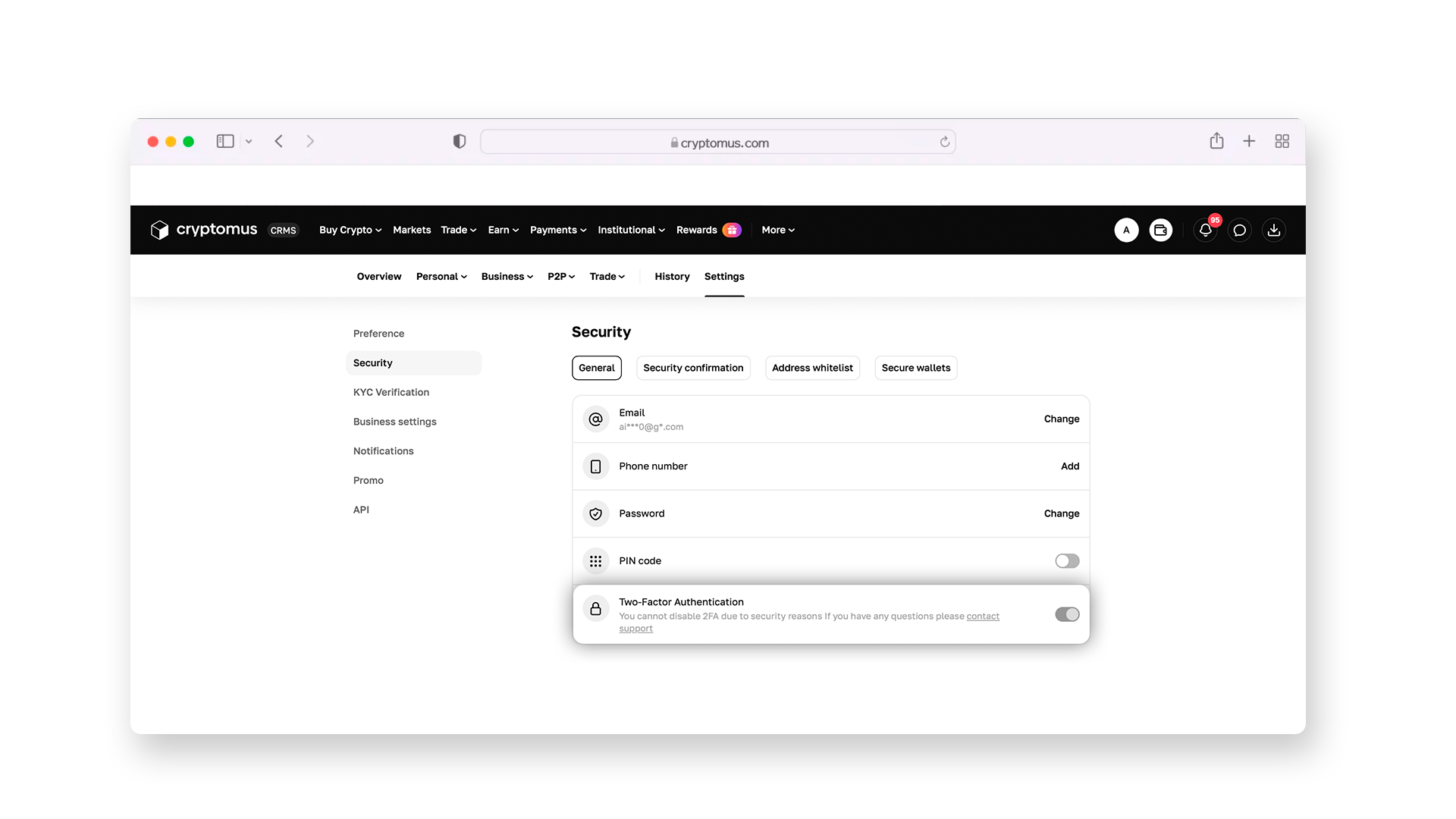
Also, ensure your security by enabling two-factor authentication—it will provide an additional layer of protection against hacking.
Step 2: Configure the Filters
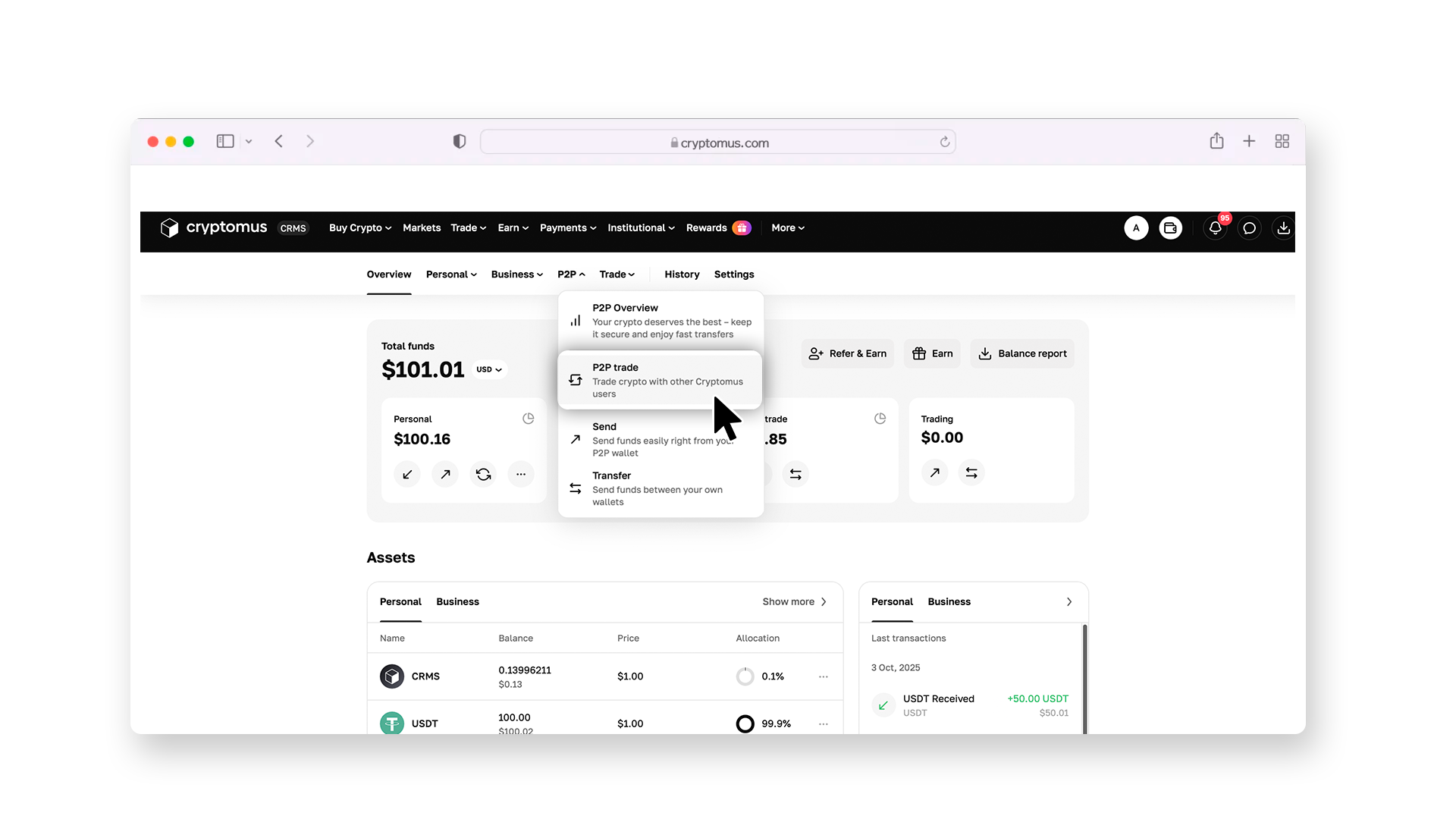
Now you can start working on the P2P exchange. To get there, open the overview page and select P2P trade from the list, as shown in the picture below.
On the P2P page, go to the “Buy” section and select USDT as the coin you are willing to buy. Then, in the “All payments” drop-down list, choose Alipay, so the platform can show only those ads in which Alipay is also listed as a payment method.
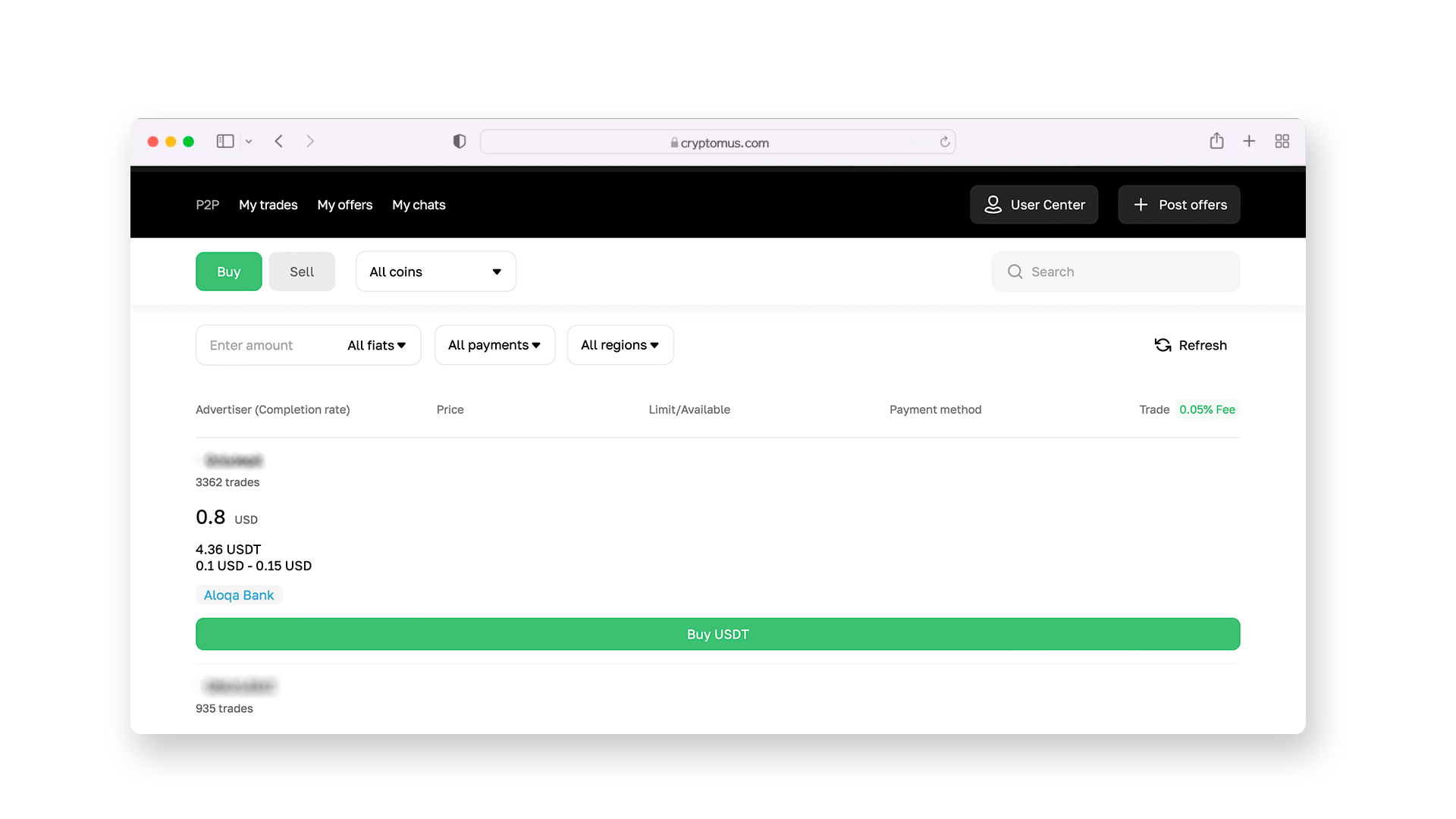
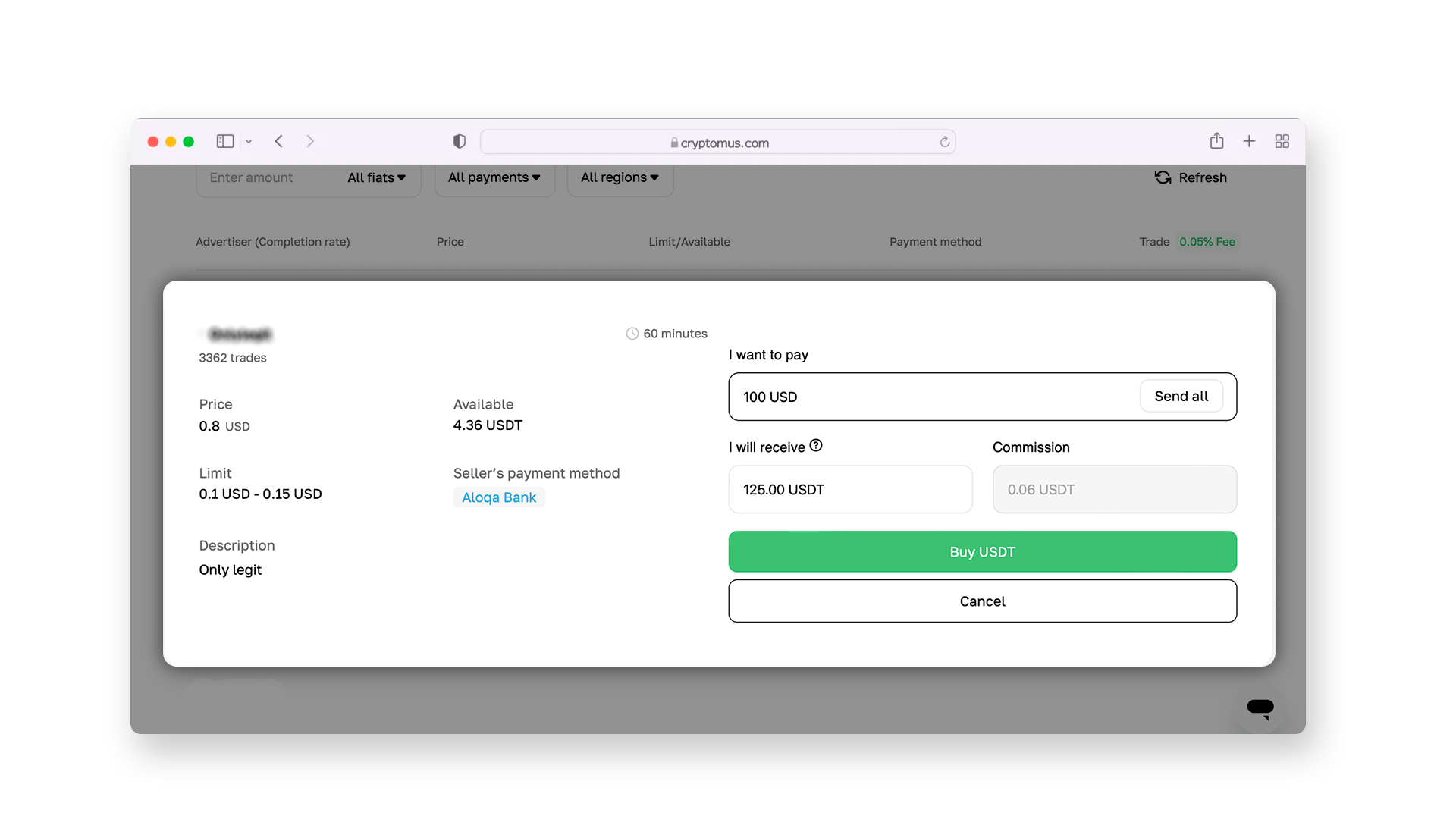
Enter the number of coins you want to purchase and confirm the action by clicking “Buy USDT”.
Step 3: Select a Seller
After setting up all filters, you’ll see a list of USDT sale ads with Alipay transfers available. They all have different exchange rates, so you can choose the one that you find most advantageous. At the same time, pay attention to the seller's rating: a large number of closed deals and positive reviews from other users may indicate this is a reliable trading partner.
Step 4: Complete the Transaction
Go to the selected ad and open a chat with the seller; there, request their Alipay details, to which you’ll transfer the payment for USDT. Then, send fiat money from your Alipay account to theirs, and on the P2P platform, click on “Transferred, notify seller”. After that, your trading partner will send USDT to your Cryptomus wallet.
Don’t forget to check your crypto wallet balance to make sure that the USDT has arrived. Notify the seller of receipt and close the deal on the P2P exchange. If you wish, you can rate and leave feedback about the seller—it will help other users make a decision.
 Buy USDT now with your bank cardPurchase USDT on Cryptomus with a card in a few clicks. Secure payments, fast execution, and simple interface.
How to Send USDT?
Now that you have USDT in your wallet balance, you are free to use the coins however you want. For example, you can leave them in your exchange wallet, or send them to another wallet for storage, send them to friends, or even pay for goods and services by transfer. So, here's how to send USDT:
-
Ask the recipient for their crypto wallet address or QR code and save it.
-
Go to the “Send” section or another similar page.
-
Select USDT as the coin for transfer and specify the network (for example, TRON or Ethereum).
-
Paste the wallet address where you plan to send the coins into the special field. Double-check that everything is entered correctly, as crypto transactions are irreversible.
-
Specify the amount of USDT to send, considering the network and exchange fees. If you are sending crypto within the Cryptomus platform, it's easier for you—there is zero commission.
-
Click on the “Send” button and confirm the transaction with a 2FA code.
Now you just have to wait for confirmation from the other person that the USDT has arrived in their wallet. We advise you to choose the most optimal time to send your USDT so that the transaction goes even faster.
Share your experience in the comments: have you already bought USDT? Perhaps you have traded using Alipay? How convenient was it for you?


