Cryptomus FAQ
Getting Started
Cryptomus Services & Features
Account Management & Verification
Payer's Guide
Questions related to AML
Safety
CRMS
Merchant Setup & Payments
How does the Auto-withdrawal feature work?
The Auto-withdrawal feature allows you to automatically withdraw funds you receive to your wallet immediately. Here’s how to set it up:
- Go to your account settings > Business settings > Auto-withdrawal.
- Select Auto-withdrawal and toggle the switch.
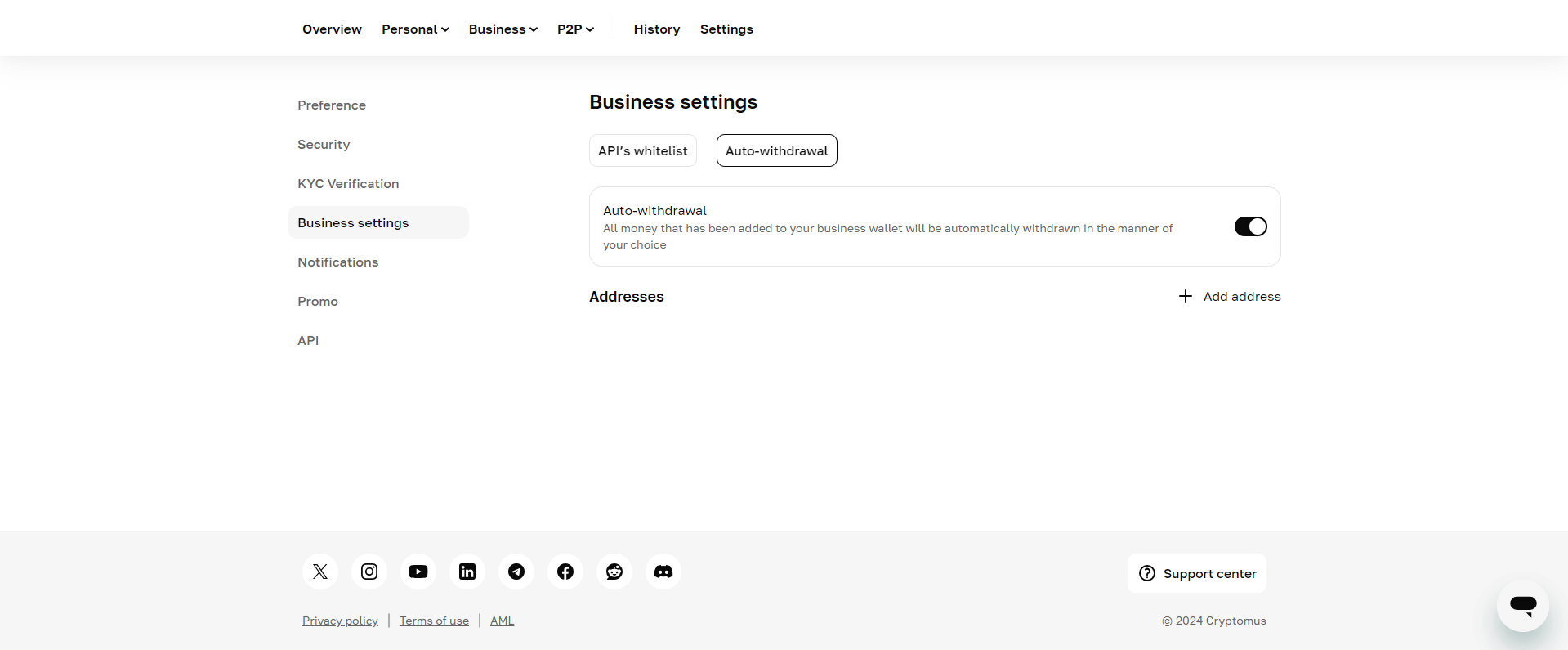
After enabling 2FA, click Add address.
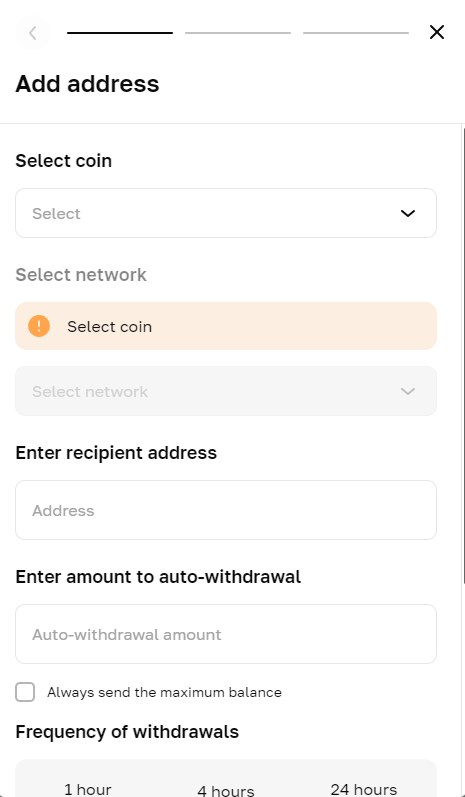
Now you need to specify:
- Cryptocurrency and network (each separately).
- Recipient address.
- Auto-withdrawal amount — check this option to always withdraw the maximum amount.
- Frequency of withdrawals — choose from every hour, 4 hours, or 24 hours.
- Minimum amount on the wallet to trigger the Auto-withdrawal process.